Markers Box Template: A Versatile Tool for Creative Projects
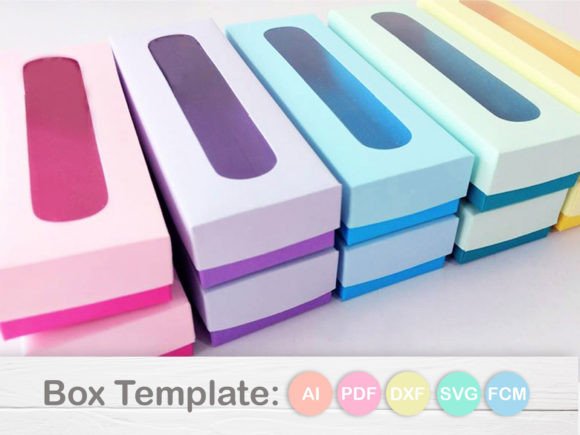
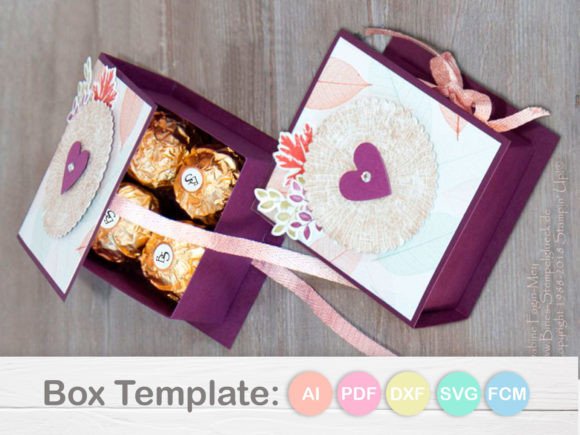
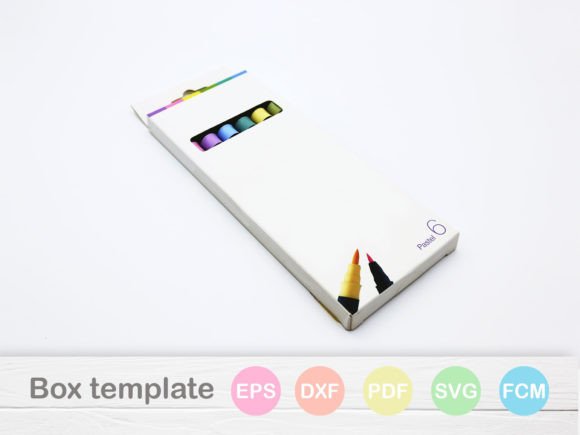
The Markers Box Template is a digital design resource that offers a structured approach to creating custom boxes for markers, pens, and other small stationery items. Designed with precision and flexibility in mind, this template caters to a wide range of users, from hobbyists to professional designers and small business owners looking to produce high-quality, customizable packaging solutions.
Key Features of the Markers Box Template
The Markers Box Template comes with a comprehensive set of format files, making it compatible with various design and cutting software. This ensures that users can work within their preferred tools without compromising on quality or functionality. The included formats are:
- AI (Adobe Illustrator)
- SVG (Scalable Vector Graphics)
- DXF (Drawing Exchange Format)
- FCM (Cricut Design Space File)
- PDF (Portable Document Format)
- EPS (Encapsulated PostScript)
- Studio3 (Silhouette Studio File)
Each file type serves a specific purpose, allowing users to adapt the template to their workflow. For instance, the AI and EPS files are ideal for detailed editing in Adobe Illustrator, while the SVG format is well-suited for web-based applications and compatibility with certain cutting machines.
Understanding the Workflow
Depending on the cutting machine or design software you use, the process for working with the Markers Box Template may vary slightly. Here’s a breakdown of the recommended steps for different platforms:
Scan N Cut
To use the FCM file in Canvas Work Space, simply import the file into your design area. It's important to note that if you choose to use an SVG file instead of the FCM file, you will need to adjust the cut lines and resize the file accordingly. The creator of the template cannot assist with these modifications, so it’s crucial to understand the implications before making any changes.
Silhouette
If you're using Silhouette software, the Studio3 file is the recommended format. Using an SVG file in place of Studio3 requires adjusting the cut lines and resizing the design, which may affect the final output. As with the Scan N Cut platform, no support is provided for these alterations.
Cricut
For Cricut users, the SVG file is the primary format to work with. Follow these instructions to ensure the best results:
- Open Cricut Design Space.
- Import the SVG file into your project.
- Select all layers except the colorful layer. If there is a black layer, include it as well.
- Change the tool setting from "Cut" to "Score" in the top toolbar.
- Select all layers, including the colorful one, and click on "Attach."
This process ensures that the box folds correctly and maintains its structural integrity when assembled.
Strengths and Practical Value
The Markers Box Template excels in its versatility and ease of use. Its multiple file formats make it accessible to users with varying levels of technical expertise and equipment. Whether you're using a Cricut, Silhouette, or another cutting machine, the template provides a reliable foundation for creating custom boxes that meet your specific needs.
One of the main strengths of the template is its attention to detail. The cut lines and fold lines are clearly defined, reducing the likelihood of errors during the production process. This level of precision is particularly valuable for users who are producing items for sale or distribution, where consistency and quality are essential.
Additionally, the template is designed to be adaptable. While the original files were created in Adobe Illustrator, the inclusion of SVG and other formats allows for further customization. This makes the template a useful resource for creators who want to experiment with different designs or integrate the box into larger projects.
Real-World Applications
The Markers Box Template is ideal for a variety of real-world applications. Small business owners who sell handmade or custom products can use the template to create attractive and functional packaging that enhances the overall customer experience. For example, a stationery shop might use the template to design boxes for custom markers, pens, or art supplies, adding a professional touch to their product offerings.
Freelancers and independent artists can also benefit from the template. By using the Markers Box Template, they can create unique packaging for their products, such as art kits, craft supplies, or promotional items. This not only adds value to their offerings but also helps them stand out in a competitive market.
For educators and students, the template can serve as a practical tool for teaching design principles, manufacturing processes, and creative problem-solving. It provides a hands-on way to explore how digital designs translate into physical objects, making it a valuable resource for classroom settings or personal projects.
Who Benefits Most from the Markers Box Template?
The Markers Box Template is particularly beneficial for individuals and businesses involved in product design, packaging, and small-scale manufacturing. Professionals in the fields of graphic design, illustration, and entrepreneurship will find the template useful for creating customized packaging solutions that align with their brand identity.
Hobbyists and DIY enthusiasts who enjoy crafting and making their own products will also appreciate the template’s flexibility and ease of use. Whether you’re looking to create personalized gifts, promotional materials, or sample products, the Markers Box Template offers a reliable and efficient solution.
Additionally, the template is suitable for those who are new to design software and cutting machines. Its clear instructions and well-structured files make it an excellent starting point for learning how to work with digital design tools and physical fabrication techniques.
Considerations and Limitations
While the Markers Box Template is a powerful resource, it’s important to consider its limitations. The template does not include decorative elements, meaning users will need to add their own graphics, text, or branding if desired. This can be a minor inconvenience for those looking for a fully finished product, but it also provides greater creative freedom for users who want to customize their designs.
Another consideration is the need for technical knowledge when working with certain file types. For example, modifying an SVG file to replace an FCM or Studio3 file requires an understanding of design software and cutting machine settings. Users who are unfamiliar with these tools may need to invest time in learning how to make the necessary adjustments.
Despite these limitations, the Markers Box Template remains a valuable asset for anyone looking to create custom boxes for markers and similar items. Its combination of practicality, flexibility, and compatibility with multiple platforms makes it a strong choice for both beginners and experienced users alike.
Final Thoughts
The Markers Box Template is a well-designed and versatile resource that offers significant value to a wide range of users. Whether you're a small business owner, a creative professional, or a hobbyist, this template provides a solid foundation for creating custom boxes that meet your specific needs. Its comprehensive file formats, clear instructions, and attention to detail make it a reliable tool for both personal and commercial projects.
By understanding the requirements and limitations of the template, users can maximize its potential and achieve high-quality results. With the right tools and a bit of creativity, the Markers Box Template can help you bring your vision to life, one box at a time.